PR Card Login 2027: Complete IRCC Login, PR Portal Access, GCKey, PR Tracker And Create Account Guide
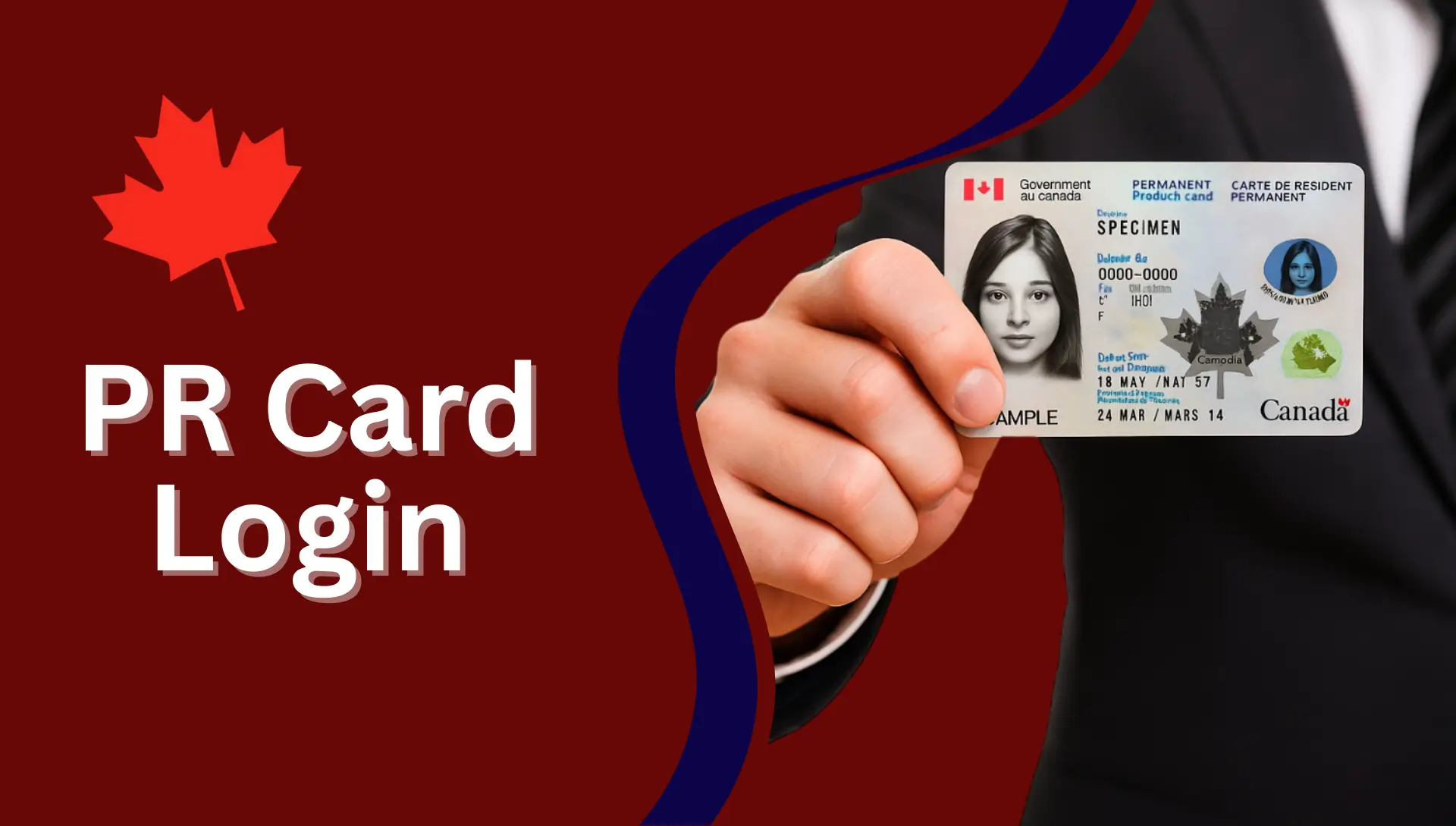
PR Card Login. If you are applying for your Canada Permanent Resident (PR) Card, renewing your card, or checking your PR application status, you must know how to use the PR Card Login system correctly. Many new immigrants get confused between the PR Portal, IRCC Login, GCKey Login, and PR Tracker Login.
In this article, today, I am sharing a detailed, complete, updated, and 2027 step-by-step guide that explains everything in easy words from login and creating an account, linking your PR application, checking status, uploading photos, and more.
This guide includes all official information plus extra helpful points that are usually missing from most websites.
What Is the PR Card Login Portal?
The Permanent Residence (PR) Portal is an online system officially provided by the Immigration, Refugees and Citizenship Canada (IRCC).
You use this portal to:
- Apply for Canada PR
- Confirm permanent residence
- Apply for a new PR card
- Renew or replace a PR card
- Apply for PRTD (Permanent Resident Travel Document)
- Upload your PR photo after landing
- Check the status of your PR card
- Update your address
- Receive messages from IRCC
There are three main login systems:
- PR Portal Login
- GCKey Login
- PR Tracker Login
Different steps use different portals that’s why newcomers get confused!
PR Portal Login – For PR Card, PR Confirmation & PRTD
The PR Portal is the main platform where you:
- Upload your PR photo
- Confirm your PR status
- Apply for PR card
- Renew your PR card
- Request replacement of lost/damaged PR card
- Apply for PRTD
How to Sign In to the PR Portal
- Go to the official PR Portal
- Enter your email/username
- Enter your password
- Click Sign In button.
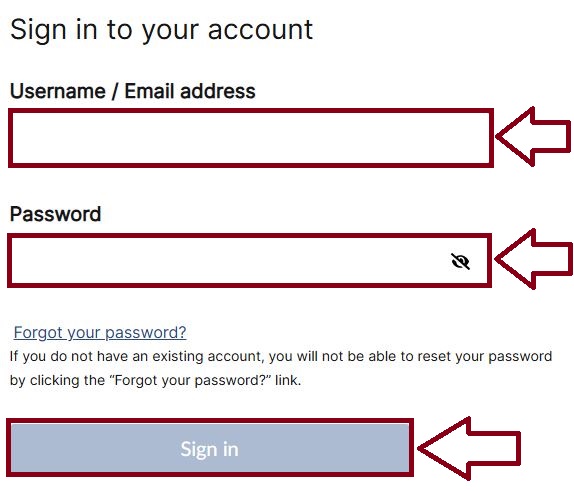
If your application is ready for confirmation, IRCC sends you an email with login instructions.
GCKey Login – Used for IRCC Secure Account
GCKey is another login system used by IRCC.
You use it for:
- Online PR card application
- Linking your PR card application
- IRCC messages
- Checking status
- Uploading documents
- Sponsor applications
- Study permit, work permit, visitor visa, PNP, and more
GCKey Login Steps
- Visit IRCC Secure Account
- Select GCKey Username & Password
- Enter your username
- Enter your password
- Click Sign In
If you don’t have a GCKey account, you can create one.
PR Tracker Login – To Check Status of PR Card
The PR Card Application Tracker is a separate tool where you check:
- PR card processing
- Photo verification
- Card production
- Card mailing updates
- Delivery status
PR Tracker Login Steps:
- Go to PR Tracker website
- Sign in with your email
- Enter your password
- Access your PR card progress
What You Can Do Inside the PR Portal
The PR Portal lets Permanent Residents:
- Apply for PR
- Apply for someone else (resettled refugees)
- Apply/renew/replace PR card
- Apply for PRTD
- Confirm permanent residence
- Upload photo after landing
- Update mailing address
- Receive details from IRCC
If your PR confirmation is ready, IRCC emails you instructions.

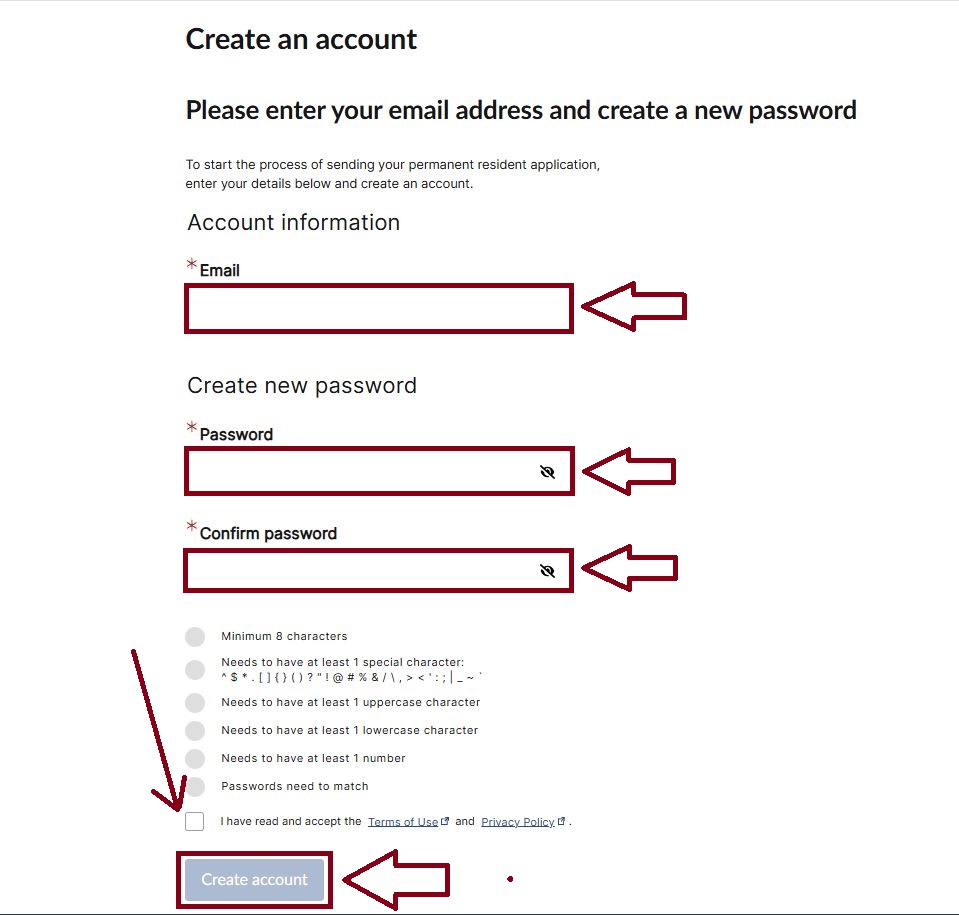
Creating an Account in the PR Portal
If you don’t have an account, follow these steps:
Step 1: Enter Your Email
This will be your login ID.
Step 2: Create a Password
Your password must include:
- Minimum 8 characters
- At least 1 special character
- At least 1 uppercase letter
- At least 1 lowercase letter
- At least 1 number
- Both passwords must match
Accepted special characters:
^ $ * . [ ] { } ( ) ? ” ! @ # % & / \ , > < ‘ : ; | _ ~ `
Step 3: Accept Terms of Use
Tick the box to confirm you accept IRCC’s Terms of Use and Privacy Policy.
Step 4: Click Create Account
Done! Your account is created.
How to Log In If You Received an Email Invitation
If IRCC invited you to the PR Portal, follow these steps:
- Open the email
- Click the sign-in link
- Enter your email
- Enter the temporary password (in the email)
- Create a new password
- Confirm the password
- Log in again
- Access your PR confirmation or photo upload page
This invitation is usually sent when:
- Your PR application is approved
- Your landing is ready
- You need to upload a digital photo
- You must confirm your Canadian address

How to Log In If You Already Have an Account
- Go to the PR Portal
- Enter your existing email & password
- Click Sign In
- Check your dashboard
- View your PR card status
- Upload required documents
- Submit your application
How to Pass Your PR Card Application?
This step is very important to apply below the button.
Common PR Portal Login Problems & Solutions
Problem 1: Password not working
Solution: Reset password using “Forgot Password”
Problem 2: Temporary password expired
Solution: Request a new invitation email
Problem 3: Application not found when linking
Solution: Enter details EXACTLY as on your e-COPR
(even if one extra space is added, it will fail)
Problem 4: Photo rejected
Use a plain white background
Should meet PR photo specifications
Problem 5: Error message “We can’t find your application”
Wait 5–7 business days after landing
Try using only family name if you have two first names
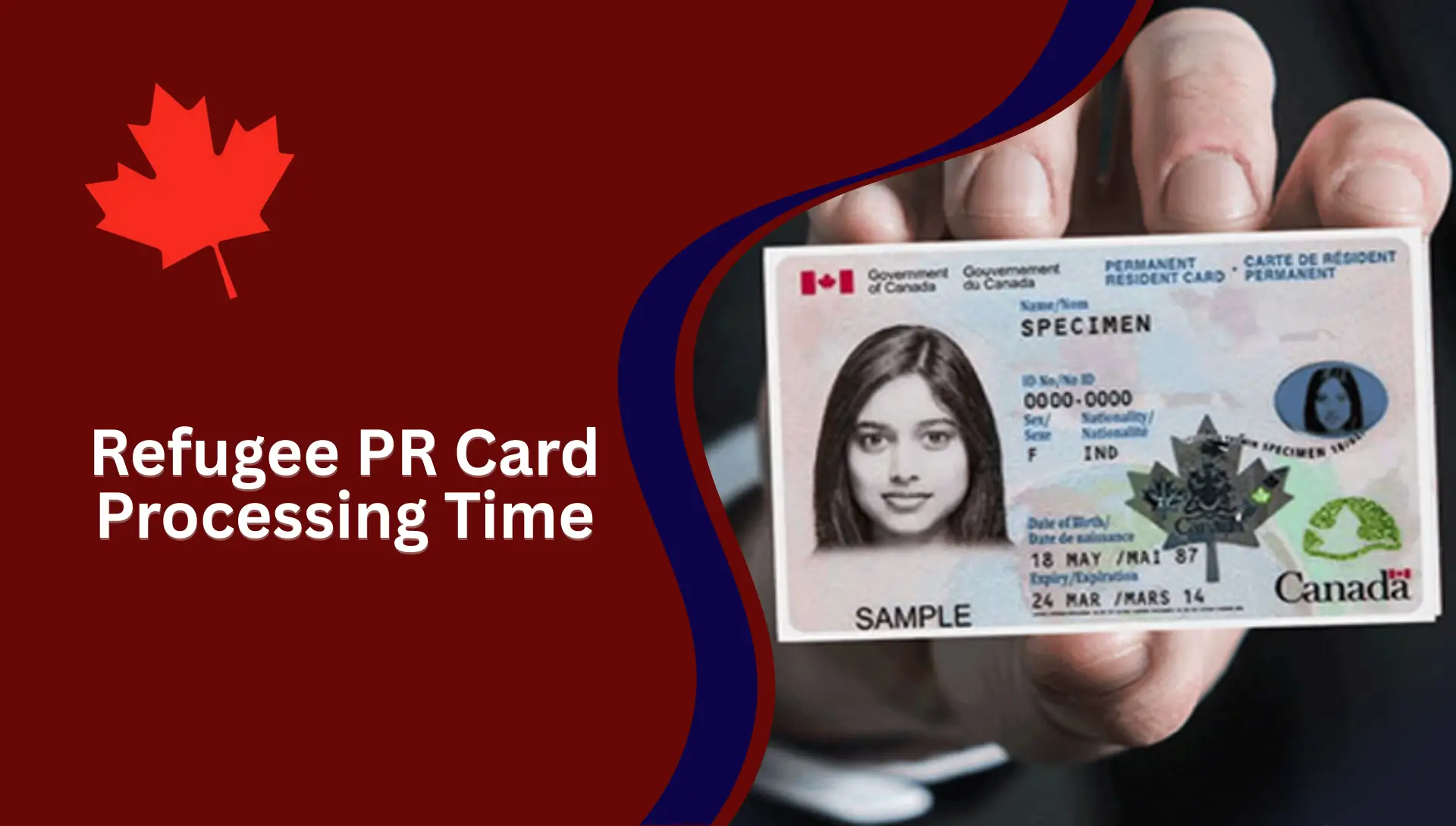
PR Card Processing Time
According to IRCC, the average PR card processing time is:
- New PR Card: 25–45 days
- Renewal: 30–60 days
- Replacement: 45–70 days
- PRTD: 10–30 days
Your status will appear in the PR Tracker.
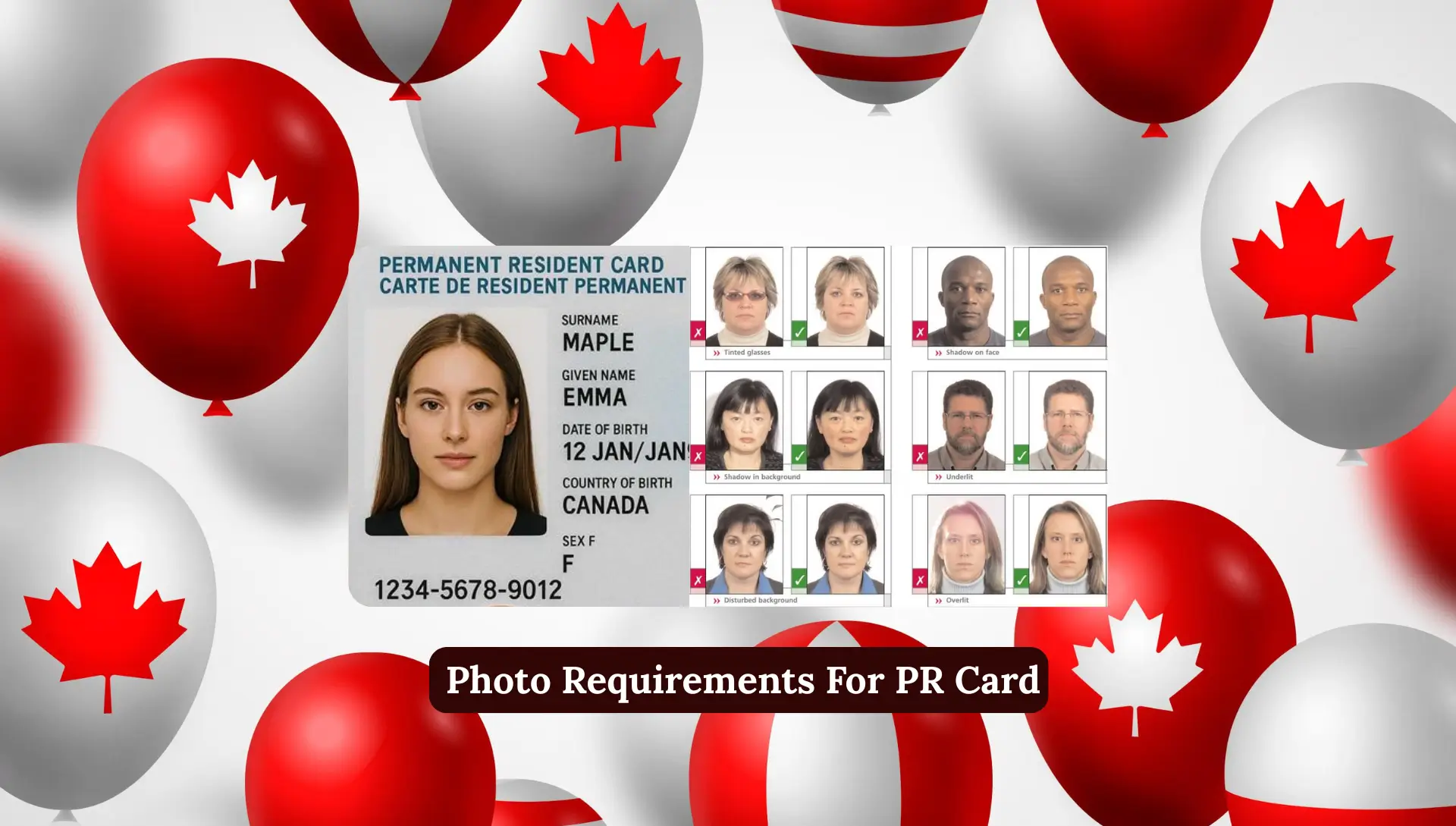
PR Card Photo Requirements
Your photo must:
- Be taken in the last 6 months
- Be in color
- Have a plain white background
- Show full face
- Be 50mm x 70mm
- Be uploaded in JPEG format
- Be high resolution
Avoid shadows or blurred edges.
When You Need a PR Card
You need your PR card for:
- Re-entering Canada
- Traveling internationally
- Proving PR status
- Government services
- Job applications
- Healthcare card
- Bank account opening
When to Renew Your PR Card
Renew your PR card if:
- It will expire in the next 9 months
- It is lost
- It is stolen
- It is damaged
- You changed your name (marriage)
Tips to Speed Up PR Card Approval
- Upload a clear photo
- Do not crop it too much
- Use IRCC-recommended photo sizes
- Ensure your address is correct
- Respond to IRCC messages quickly
- Check the PR tracker weekly
FAQs
Which login should I use for PR card?
Use the PR Portal or GCKey depending on your application stage.
Can I apply for PR card without GCKey?
Yes, using the PR Portal.
How long does PR card take to arrive?
25–45 days for new cards.
My photo is rejected. What should I do?
Upload a new photo that meets IRCC guidelines.
Can I travel without PR card?
You need a PRTD if outside Canada.
Conclusion
Managing your PR card application becomes very easy when you understand how each login system works. Whether you are using the PR Portal, GCKey, or the PR Tracker, every tool has a clear purpose and helps you complete your PR journey smoothly. As someone who guides people through immigration and finance topics every day, I personally believe that keeping your login details ready, following the correct steps and checking your application regularly can save you a lot of time and stress.