
Canada Visa Login 2026: Complete Guide To Access Your IRCC Account
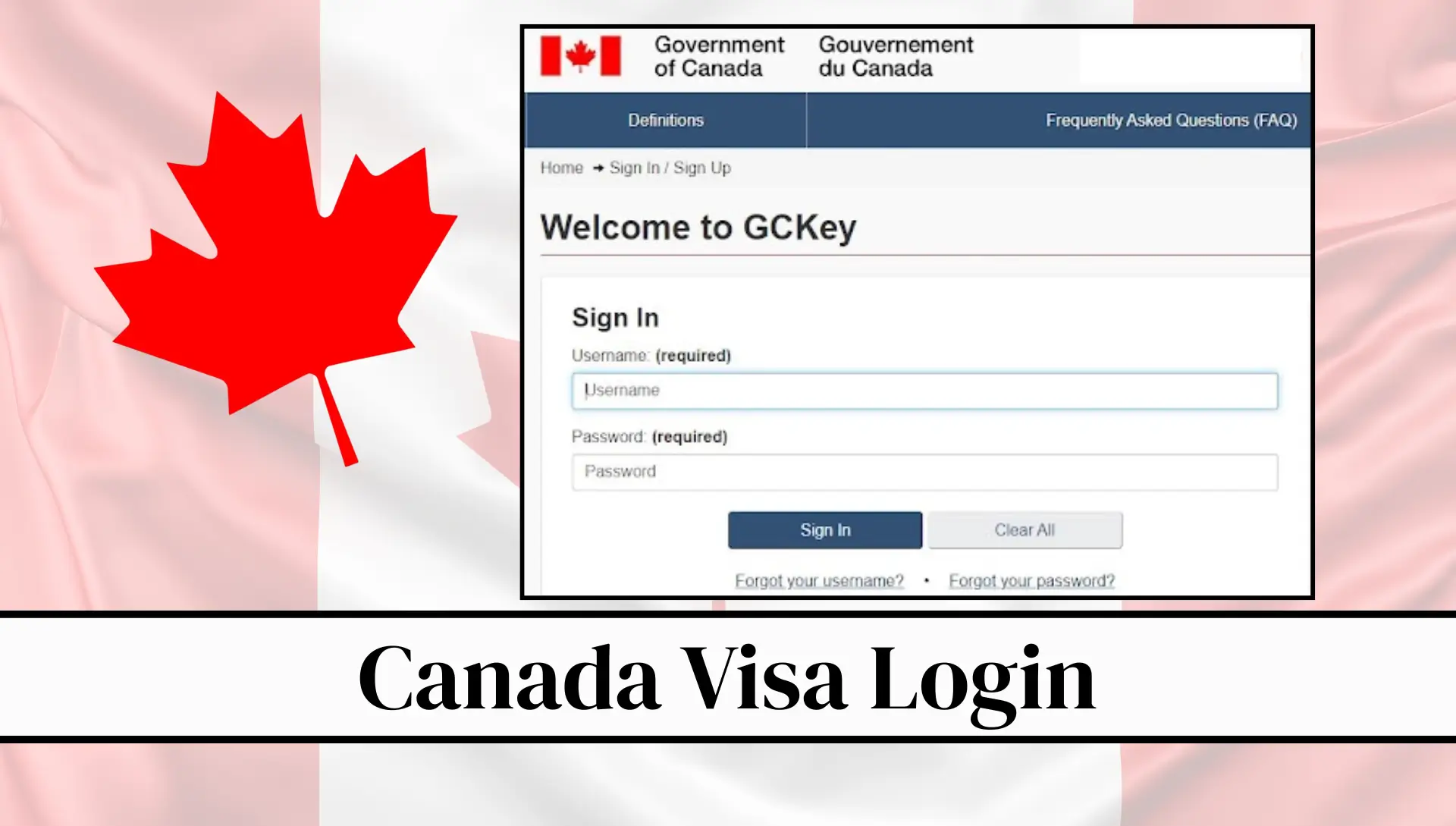
Canada Visa Login 2026. Canada Visa Login is the official online system provided by Immigration, Refugees and Citizenship Canada (IRCC) that allows applicants to manage their visa and immigration process in one place. It is a secure digital portal where users can create an account using GCKey or Sign-In Partner options.
Through this system, applicants can apply for visitor visas, study permits, work permits, and permanent residency, upload required documents, pay fees, and track application status in real time. The platform also sends important updates and messages directly to your registered email, making the process more transparent and organized.
Once you create your account, you get access to a personal dashboard where you can monitor your application progress and respond to IRCC requests easily. This system replaces traditional paper-based applications and makes the entire immigration process faster, safer, and more convenient for users worldwide who want to travel or settle in Canada.
What is Canada Visa Login (IRCC Account)?
Canada Visa Login is the official online access system provided by IRCC. It is also known as:
- MyCIC Account
- IRCC Secure Account
- GCKey Login Portal
- Sign-In Partner Login System
This account is the main gateway for all immigration-related services in Canada. Without this login, you cannot:
- Apply for a visa online
- Check application progress
- Receive updates from IRCC
- Submit additional documents
So, it is very important to create and properly manage your Canada visa login account.
Two Ways to Access Canada Visa Login
When you go to the IRCC login page, you will see two main options:
1. GCKey Login (Most Common Method)
GCKey is a secure username and password system created by the Government of Canada.
You can:
- Create a new GCKey account
- Sign in with username and password
- Recover your account if needed
This is the most widely used method for international applicants.
2. Sign-In Partner (Canadian Banks Login)
This option allows you to log in using your Canadian bank credentials.
You can use:
- RBC
- TD Bank
- Scotiabank
- Other Canadian banking partners
This method is mostly used by people already living in Canada.
How to Create Canada Visa Login (GCKey Account)
Now let’s go step by step to create your Canada visa login account using GCKey.
Step 1: Visit Official IRCC Website
First, open your browser and go to the official Government of Canada immigration website. Once you open it:
- Select your language (English or French)
- Click on “Immigration and Citizenship”
You will now reach the main immigration page.
Step 2: Click on Sign-In or Create Account
On this page, you will see options like:
- Sign in
- Create an account
Click on “Sign in or create an account”
Step 3: Choose GCKey Option
Now you will see two login options:
- GCKey
- Sign-In Partner
Click on GCKey.
If you are a new user, click on: “Sign Up”
Step 4: Create Username
Now you need to create a username. Make sure:
- It is unique
- Easy to remember
- Not too simple
Then click Continue
Step 5: Create Strong Password
Now you must create a secure password. Your password must include:
- 8 to 16 characters
- At least one uppercase letter
- At least one lowercase letter
- At least one number
- Special characters (if required)
When all conditions are correct, green ticks will appear. Then click Continue
Step 6: Set Recovery Questions
Now you will be asked to create security questions. These questions are very important because:
- They help recover your account
- They protect your visa profile
Choose questions carefully and remember your answers.
Tip: Save screenshots or write answers safely.

Then click Continue
Step 7: Enter Email Address
Now enter your valid email address. This email is very important because:
- IRCC sends updates here
- Verification codes are sent here
- Password recovery is done through email
Click Continue
Step 8: Email Verification Code
After entering your email:
- You will receive a verification code
- Check your inbox or spam folder
- Copy the code
- Paste it into the IRCC page
Then click Continue
Step 9: Accept Terms and Conditions
Now read and accept the terms.
Click:
- Agree
- Continue
Your GCKey account setup is almost complete.
Step 10: Complete Your IRCC Profile
Now you will fill in your personal details:
- Full name
- Email address
- Preferred language (English or French)
- Security questions
After filling everything. Click Create Account
Step 11: Access Canada Visa Dashboard
Once your account is created, you will enter your IRCC dashboard. From here, you can:
- Start a new visa application
- Upload documents
- Check application status
- Pay fees online
- Receive messages from IRCC
This is your main Canada visa control panel.
How to Log in to Canada Visa Account?
You will get quality content and quick results with this serviceOnce your account is created, follow these steps:
- Step 1: Visit to the IRCC login page
- Step 2: Click on “Sign In”
- Step 3: Select “GCKey Login”
- Step 4: Enter your Username and and Password
- Step 5: Answer the security questions if required
- Step 6: Access your dashboard
Now you can view your dashboard.
- Applying for a visa
- Upload the documents
- Tracking status

What You Can Do Inside Canada Visa Login Portal
Once logged in, you can manage everything in one place:
1. Apply for Visa
- Visitor visa
- Study permit
- Work permit
- Permanent residency
2. Upload Documents
You can upload:
- Passport copy
- Photos
- Financial proof
- Invitation letters
3. Pay Fees Online
You can pay:
- Visa fees
- Biometrics fees
4. Track Application Status
You can see:
- Application received
- In progress
- Approved
- Additional documents required
5. Receive Messages from IRCC
IRCC may request:
- Missing documents
- Medical exams
- Biometrics
Common Canada Visa Applications You Can Manage Online
Through Canada visa login, you can apply for:
- Visitor Visa (Tourist Visa)
- Study Permit
- Work Permit
- Permanent Residency (PR)
- Express Entry Profile
- Family Sponsorship
Benefits of Canada Visa Login System
The IRCC online system offers many benefits:
1. Easy Access
You can manage your visa anytime, anywhere.
2. Fast Processing
Online applications are processed faster than paper applications.
3. Secure System
Your personal data is fully protected.
4. Real-Time Updates
You get instant notifications about your application.
5. Document Upload
You can upload documents without visiting offices.
How to Check Canada Visa Application Status

To check your visa status:
- Login to IRCC account
- Go to dashboard
- Click “Check Application Status”
- View updates
You will see:
- Application received
- Under review
- Additional documents required
- Decision made
Forgot Password or Username?
If you forget login details:
Forgot Username:
- Click “Forgot Username”
- Enter email
- Receive recovery link
Forgot Password:
- Click “Forgot Password”
- Answer security questions
- Reset password
Common Problems in Canada Visa Login
1. Login Failed
- Wrong password
- Check caps lock
2. Email Not Received
- Check spam folder
- Wait a few minutes
3. Account Locked
- Too many wrong attempts
- Wait or reset password
Tips For Smooth Canada Visa Application Process
1. Prepare Documents Early
Keep ready:
- Passport
- Photos
- Financial proof
- Education documents
2. Fill Information Carefully
Avoid mistakes in forms.
3. Check Email Regularly
IRCC sends important updates through email.
4. Upload Clear Documents
Blurry documents can delay processing.
5. Respond Quickly
If IRCC requests documents, reply fast.
6. Be Patient
Visa processing takes time depending on application type.
Canada Visa Login Security Tips
To protect your account:
- Never share password
- Use strong password
- Log out after use
- Avoid public computers
Importance of IRCC Account for Immigration
Without Canada visa login:

- You cannot apply online
- You cannot track status
- You cannot receive updates
So it is a must-have system for anyone applying for Canada immigration.
FAQs About Canada Visa Login (IRCC Account)
What is Canada Visa Login?
Canada Visa Login is an official online system provided by IRCC (Immigration, Refugees and Citizenship Canada). It allows applicants to create an account and manage their visa applications, including submitting forms, uploading documents, checking status, and receiving official messages. It is the main digital gateway for all Canada immigration services.
How do I create a Canada Visa Login account?
To create an account, you need to visit the official IRCC website and choose the GCKey option or Sign-In Partner option. After selecting GCKey, you must create a username, set a strong password, answer security questions, and verify your email address. Once all steps are completed, your account becomes active and ready to use for visa applications.
What is GCKey in Canada Visa Login?
GCKey is a secure login credential system used by the Government of Canada. It allows users to access their IRCC account using a username and password. This system is designed to protect personal information and ensure safe communication between applicants and immigration authorities during the visa process.
Can I use my bank account to log in?
Yes, you can use the Sign-In Partner option if your Canadian bank supports it. This allows you to log in using your existing online banking details. However, this option is mainly available for people who already have accounts with Canadian financial institutions.
Why do I need a Canada Visa Login account?
You need a Canada Visa Login account to apply for any Canadian visa online. Without this account, you cannot submit applications, upload documents, track progress, or receive updates from IRCC. It is an essential requirement for all immigration-related processes.
How can I check my visa application status?
You can check your visa status by logging into your IRCC account and opening your dashboard. There, you will see updates such as application received, in progress, additional documents required, or final decision. This helps you stay informed throughout the process.
What should I do if I forget my password?
If you forget your password, you can click on the “Forgot Password” option on the login page. You will be asked to answer your security questions or verify your email address. After successful verification, you can reset your password and regain access to your account.
Is Canada Visa Login free to use?
Yes, creating and using a Canada Visa Login (GCKey or Sign-In Partner) account is completely free. However, you may need to pay visa application fees separately depending on the type of visa you are applying for, such as study permit, work permit, or visitor visa.
What documents do I need for Canada visa application?
You usually need a valid passport, recent photographs, financial proof, education or employment documents, and any additional forms required by IRCC. These documents must be uploaded through your Canada Visa Login account during the application process.
Is Canada Visa Login safe and secure?
Yes, the Canada Visa Login system is highly secure because it is managed directly by the Government of Canada. It uses advanced encryption and verification methods to protect user data. However, users should also keep their login details private and avoid sharing passwords with anyone.
Conclusion
Canada visa login system (IRCC GCKey) is an online portal that helps applicants manage their visa process easily. Through this account, users can apply for visas, upload documents, pay fees, and check application status anytime. You can log in using GCKey or Sign-In Partner securely. After creating an account, you must verify email, set security questions, and keep login details safe. This system makes immigration simple, fast, and transparent by giving real-time updates and full control over your Canada visa application.