PR Card Photo Editor Online Free 2026: A Complete Canada PR Photo Size, Digital Specifications, 715×1000 to 2000×2800 Pixels Guide
PR Card Photo Editor Online Free. Getting your Canada Permanent Resident (PR) Card starts with one critical step: submitting the correct PR card photo. Many applications are delayed or rejected because the photo does not meet the official rules. Canada has strict requirements for photo size, background, face position, resolution, and digital format. Even a small mistake can slow down your PR card process. A PR Card Photo Editor Online Free makes the process easier. All PR photos, including editing, resizing, and converting, meet all the requirements for all sizes and resolutions.
In this complete guide, you will learn how to create a Canada PR card photo online for free, understand the official digital photo rules, fix common mistakes, and prepare photos for adults, babies, and children.
What Is a PR Card Photo Editor Online Free
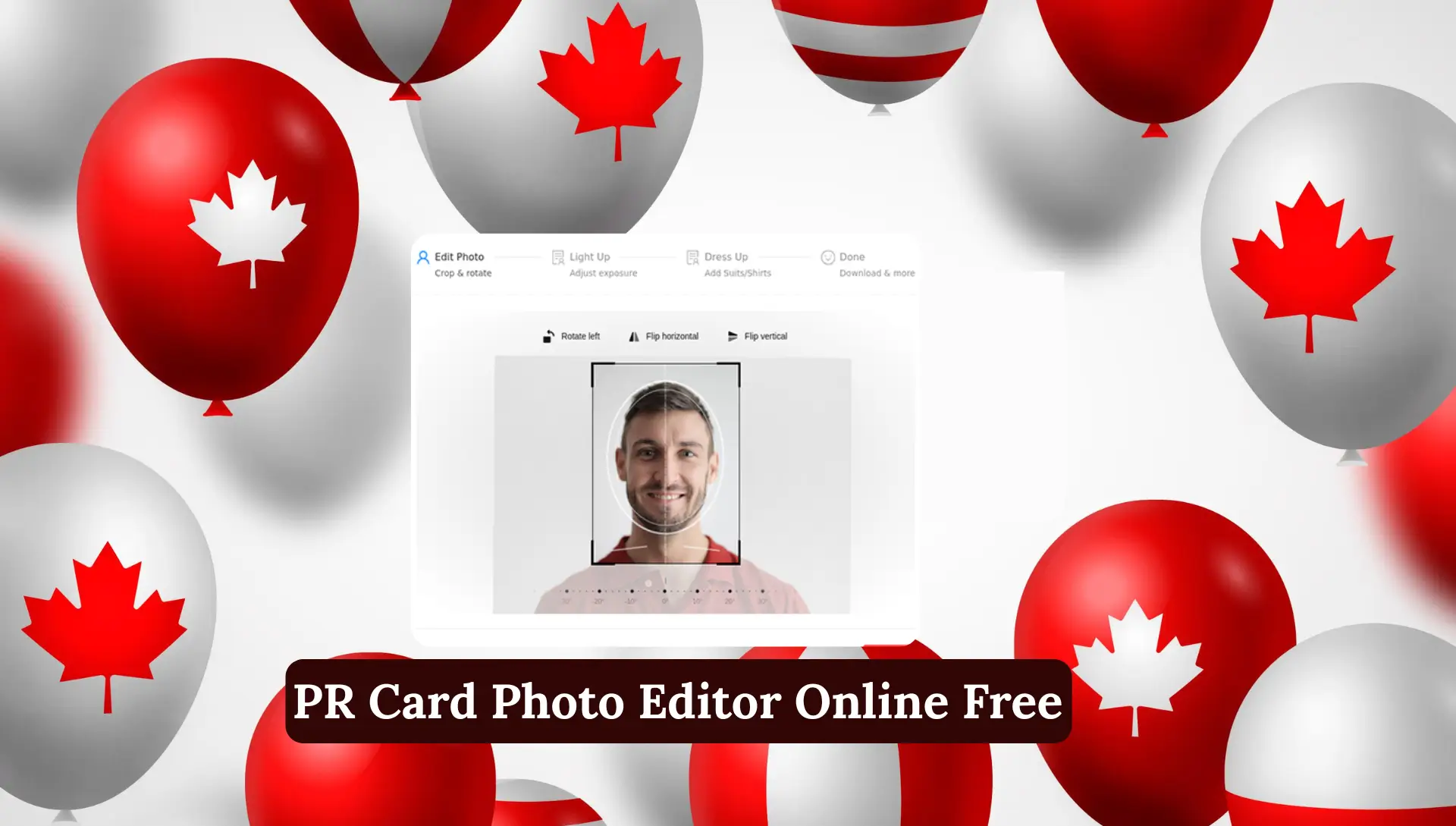
A PR Card Photo Editor Online Free is an online tool that prepares your photo exactly according to Canadian PR card rules.
It automatically:
- Crops your photo
- Resizes it to PR card size
- Centers your face correctly
- Fixes background and lighting
- Checks compliance with official standards
- You do not need Photoshop.
- You do not need studio visits.
- You only upload your photo and download the final version.
Why PR Card Photos Get Rejected in Canada
Before understanding the solution, let us see the problem.
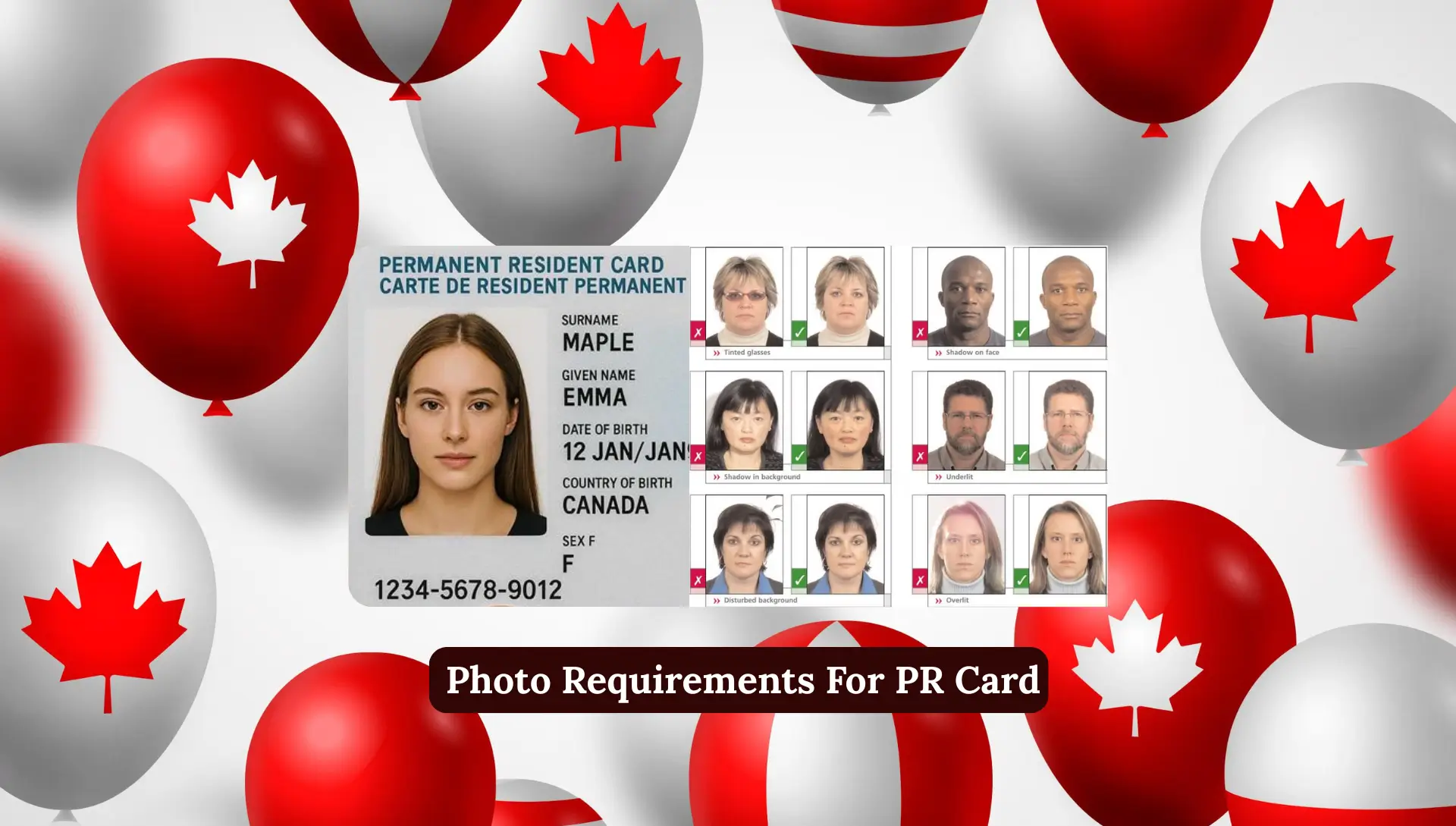
PR card photos are rejected because of:
- Wrong photo size
- Incorrect face position
- Dark or colored background
- Shadows on face or wall
- Low resolution or blur
- Old photo
Using an online PR photo editor reduces these errors almost completely.
Canada PR Photo Size Online Free
Photo size is the most important factor.
Physical Photo Size
- 50 mm width
- 70 mm height
This is mandatory for all applicants.
Face Size Rule
- Face must be 31 mm to 36 mm
- Measured from chin to crown
Online editors calculate this automatically.
PR Card Digital Photo Specifications (Pixels & File Size)
For online use, Canada allows digital photos.
Accepted Pixel Sizes
- Minimum: 715 x 1000 pixels
- Maximum: 2000 x 2800 pixels
These sizes are fully acceptable and commonly used.
Recommended Working Size
Many editors use:
- 1200 x 1680 pixels
This size gives clear quality and easy resizing.
Accepted File Formats for PR Card Photo
You can upload photos in:
- JPG
- PNG
- HEIC
- GIF
File Size Limit
- Maximum: 10 MB
- Ideal range: 1 MB to 4 MB
High-quality images always perform better.
Guaranteed Government Photo Compliance
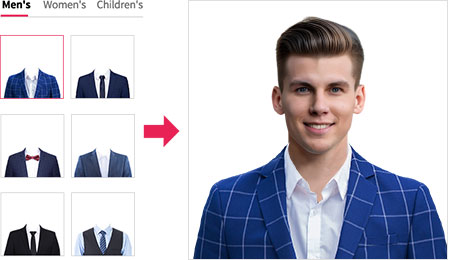
Modern PR photo editors use AI-based checks.
These systems:
- Detect face shape and size
- Measure head position
- Check background color
- Balance brightness and contrast
- Remove shadows
This matches the standards of Government of Canada photo rules.
How to Make Canada PR Card Photo Online Step-by-Step
This is the standard and safest method.
Step 1: Upload Your Photo
- Take a selfie or choose a clear photo
- Upload it to the PR Card Photo Editor
- Select “Canada Permanent Resident Card”
Accepted formats include JPG, PNG, HEIC, and GIF.
Step 2: Automatic AI Editing
In about 30 seconds, the tool will:
- Crop the photo
- Resize it to correct dimensions
- Center your face
- Fix lighting and background
No manual editing required.
Step 3: Preview and Download
- Review the edited photo
- Make small adjustments if needed
- Download the final image
Your photo is now ready for submission.
Official Rules for Canada PR Card Photos
Follow these rules carefully to avoid rejection.
Photo Freshness
- Must be taken within last 6 months
- Old photos are not accepted
Background Rules
- Plain white or light gray
- No patterns
- No objects
Facial Expression
- Neutral expression
- Mouth closed
- Eyes open and visible
No smiling with teeth.
Glasses and Head Coverings
- No sunglasses
- No tinted glasses
- Religious headwear allowed
- Face must be fully visible
Canada PR Card Photo Technical Summary
| Requirement | Details |
|---|---|
| Document | Canada Permanent Resident Card |
| Size | 50 x 70 mm |
| Digital Pixels | 715×1000 to 2000×2800 |
| DPI | 600 |
| Background | White / Light gray |
| Color | Full color |
| Printable | Yes |
| Online Use | Yes |
Based on official government standards
Clothing Rules for PR Card Photos
What you wear matters.
Recommended Clothing
- Normal daily clothes
- Solid colors
- Simple design
Avoid
- Uniforms
- Heavy patterns
- White clothes that blend with background
Keep the focus on your face.
Image Quality and Definition Requirements
Your photo must be:
- Sharp
- Clear
- High resolution
- Natural skin tone
Avoid blur, noise, or heavy filters.
Online editors enhance quality automatically.
Background, Lighting, and Shadows
This area causes many rejections.
Best Setup at Home
- Stand 3–4 feet from wall
- Use natural daylight
- Avoid strong side lighting
No shadows on face, shoulders, or wall.
How to Take a Canada PR Card Photo at Home
You do not need a studio.
Simple Home Tips
- Use a plain wall or white sheet
- Keep camera at eye level
- Use back camera of phone
- Stand straight
Take multiple photos and choose the best one.
PR Card Photo for Babies and Children
Canada allows slight flexibility for babies.
Newborn Photos
- Place baby on white blanket
- Head centered
- No hands visible
- Even lighting
Minor expression changes are allowed.
Kids and Toddlers
- Face the camera
- Eyes open
- Neutral expression
Take several photos and edit online.
Useful Features of Online PR Photo Editors
Top tools provide:
Crop and Resize
- Automatic dimension control
- Correct face positioning
Background Removal
- Removes clutter
- Adds clean white background
Auto Enhancement
- Adjusts brightness
- Improves contrast
- Fixes color tone
All features work with one click.
How to Print a Canada PR Card Photo
You have two safe options.
Option 1: Photo Studio
- Professional service
- Higher cost
Option 2: Print at Home
- Use online editor
- Download high-quality image
- Print on photo paper
Free and reliable.
Common PR Card Photo Mistakes
Avoid these errors:
- Wrong size
- Dark background
- Shadows
- Old photo
- Blurry image
Online editors help prevent all of these.
FAQs About PR Card Photo Editor Online Free
What is the correct photo size for a Canada PR Card?
The official PR card photo size is 50 mm x 70 mm. For digital photos, the accepted range is 715 x 1000 pixels to 2000 x 2800 pixels as required by Immigration, Refugees and Citizenship Canada.
Can I edit my Canada PR card photo online for free?
Yes. You can use a PR Card Photo Editor Online Free to crop, resize, and adjust your photo according to official requirements without paying or visiting a studio.
Is a digital photo accepted for Canada PR card?
Yes. Digital photos are accepted if they meet the required size, resolution, background, and quality standards. The file must be clear and compliant.
What pixel size is best for PR card photo editing?
The most commonly used and safe size for editing is 1200 x 1680 pixels. It gives good clarity and fits well within the allowed range.
What file formats are allowed for PR card photos?
Accepted formats include:
JPG, PNG, HEIC and GIF
The maximum file size allowed is 10 MB.
Can I take my PR card photo at home using my phone?
Yes. You can take your PR card photo at home using a smartphone. Make sure the background is plain white or light gray, lighting is even, and the camera is at eye level.
Are glasses allowed in Canada PR card photos?
Regular glasses are allowed if there is no glare and your eyes are clearly visible. Sunglasses and tinted glasses are not allowed.
Conclusion
Getting your Canada PR Card photo right is very critical. A small mistake in size, background, or clarity can delay your application. Canada requires a 50×70 mm photo, the correct face size, and digital dimensions between 715×1000 and 2000×2800 pixels. Using PR Card Photo Editor Online Free makes the process easy. You can take a photo at home, upload it, and get a compliant image in seconds. This saves time, money, and helps avoid rejection.