PR Card Application Form 2026: A Complete Guide To PR Card Renewal Application Form IMM 5444, PR Card Replacement, Lost PR Card Form, Checklist And Download Links
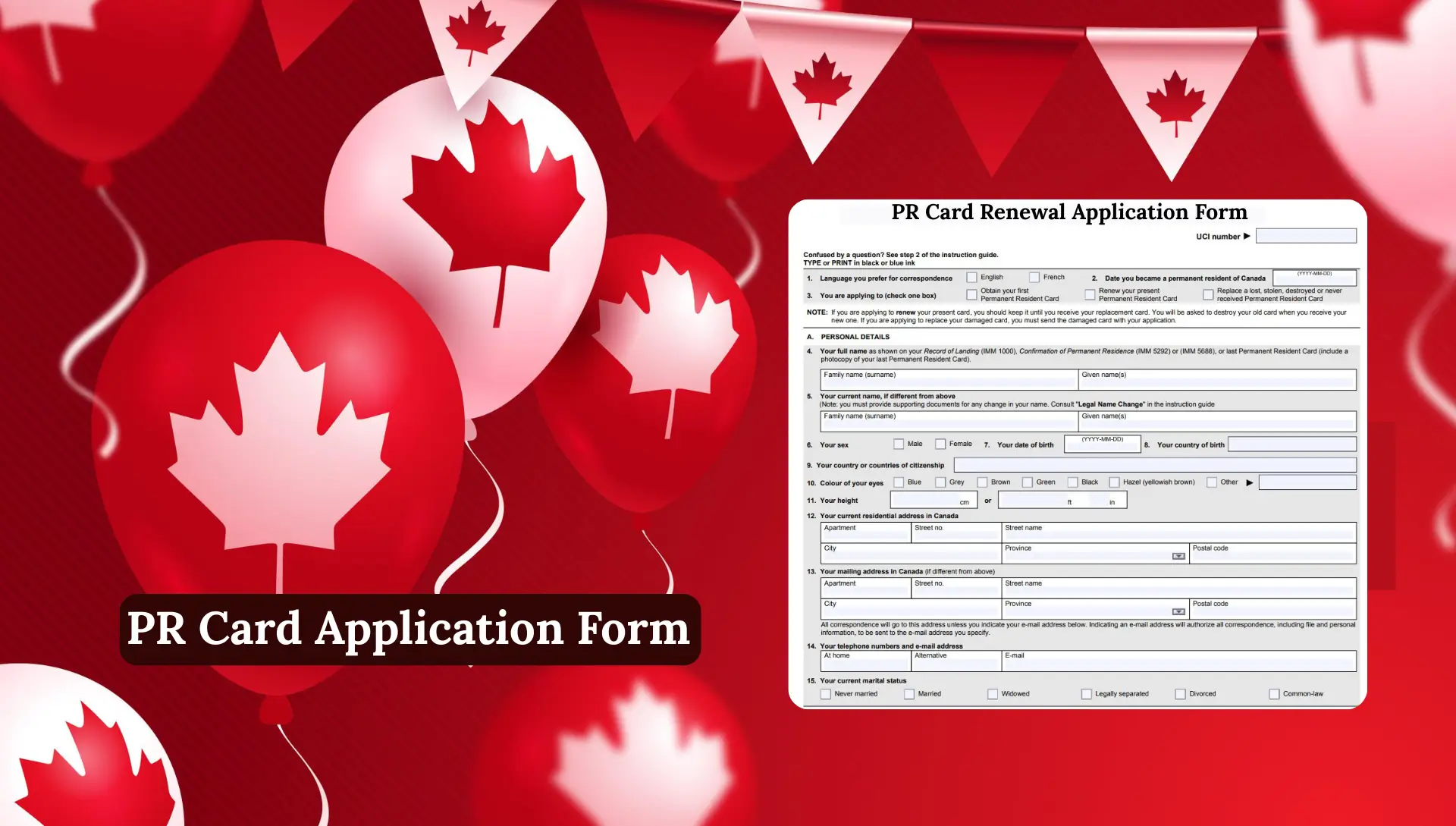
PR Card Application Form. Renewing or replacing your PR card can feel confusing, especially when you don’t know which forms you need or how to properly fill them out. Whether your PR card is about to expire, already expired, damaged, lost, or simply missing in the mail, the process becomes much easier when you understand the right steps. The Canadian government requires every permanent resident to complete the correct PR card application form, upload the right documents, and follow the official checklist to avoid delays.
In this guide, you’ll learn everything about PR card renewal application form IMM 5444 from the checklist, photo rules, online submission method, expire soon, lost, stolen, or damaged, and how to handle a lost or stolen PR card so you can complete your application with ease.
What Is the PR Card Application Form?
The PR Card Application Form is the official form required for:
- Renewing your PR card
- Replacing a lost PR card
- Replacing a stolen or damaged PR card
- Getting your first PR card
The main renewal form is IMM 5444, and it must be completed online through the official Permanent Residence Portal at Canada.ca.
Types of PR Card Applications
PR Card Renewal Application
You apply for renewal when your card is:
- Expiring within 9 months
- Already expired
- Needs to be updated with a new photo
Lost PR Card Application Form
If your card is lost or stolen, you must apply for a replacement through IMM 5444 and also complete the Solemn Declaration section confirming details about the loss.
Damaged PR Card Replacement
If the card is physically damaged, you must send the damaged card to IRCC when applying.
Never Received PR Card Application
If your PR card was mailed but never arrived, you can use IMM 5444 to request a replacement.
What Is the PR Card Renewal Application Form (IMM 5444)?
The IMM 5444 is the official form used to:
- Renew an expired PR card
- Renew a PR card that will expire soon
- Replace a lost PR card
- Replace a stolen PR card
- Replace a destroyed PR card
- Request a PR card you never received
This is the main form used by IRCC (Immigration, Refugees and Citizenship Canada) and must be completed online through the Permanent Residence Portal on Canada.ca.
Before 2023, the form was mostly paper-based, but now PR card renewal is fully digital for most applicants.
Where to Get the PR Card Renewal Application Form?
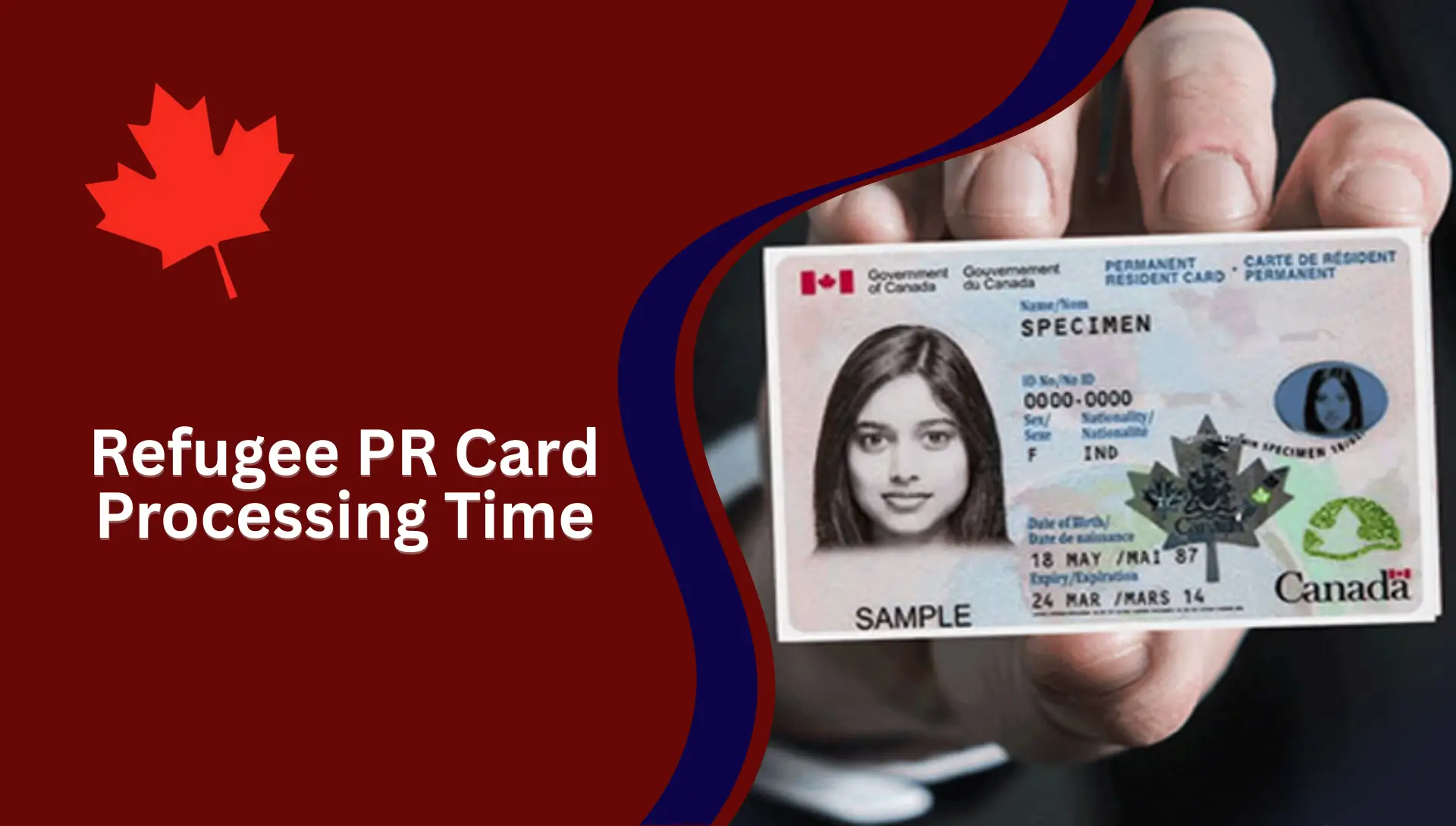
You can get the form directly from the official IRCC website.
There are two ways to access it:
1. PR Card Renewal Application Form Online (Permanent Residence Portal)
This is the recommended method.
You simply log in or create an account, and the form appears inside the portal.
2. PR Card Renewal Application Form PDF (IMM 5444)
IRCC still offers a PDF version for reference. This helps applicants understand the questions before submitting the online form.
You can download:
- IMM 5444 Application Form PDF
- IMM 5644 Document Checklist
- Additional forms for special cases
Documents Required for PR Card Renewal Application Form
IRCC requires several documents based on your situation.
Basic Required Documents
- IMM 5444 (filled online)
- IMM 5644 checklist
- Digital photo
- Current PR card (if applying for renewal)
- Fee payment receipt
- Identification documents
- Travel history details
Extra Documents (If Applicable)
- Police report (for lost or stolen PR card)
- Proof of residency in Canada
- Name-change documents
- Employment letters
- Education records
- CRA tax documents
PR Card Renewal Application Form Online Canada
Using the online PR Portal:
- Faster processing
- Digital document uploads
- No mailing delays
- Easy access to your application
This system replaced the old paper-based CIC PR card renewal application.
How to Download, Save, and Open the PR Card Form?
If you want to download and open the PR card form correctly, you must follow a few simple steps. Many people face errors because the form does not open on phones or tablets, so the safest method is to use a computer or laptop. Here is the complete, easy-to-understand process
1. Download the Form from Your Computer
To avoid technical issues, always use a desktop or laptop when downloading PR card forms. Some browsers or mobile devices may not support the file format.
Steps to download:
- Click on the official form link. In most browsers, the form will start downloading automatically.
- If the form does not download automatically, simply right-click on the link and choose “Save as” to manually save the file.
- Make sure you save the form in a folder or location that you can easily remember later.
2. Open the form using Adobe Acrobat Reader
PR card forms are designed to open only in Adobe Acrobat Reader, not in web browsers or mobile PDF viewers.
Follow these steps:
- Open Adobe Acrobat Reader on your computer.
- Make sure your version is 10 or higher, because older versions may not properly display the form.
- If you don’t have the latest version, download it from Adobe’s official site.
- At the top of Acrobat Reader, click on “File”.
- Select “Open” from the drop-down menu.
- Please navigate to the folder where you saved the PR card form.
- Click on the file and click “Open”.
Your form will open correctly, and you should be able to fill it in, save it, and print it if needed.
How to Fill the PR Card Renewal Application Form (IMM 5444)
Below is the complete breakdown of the form sections and what information you must enter.
Section A — Personal Details
Here you provide:
- Full legal name
- Current name (if different)
- Date of birth
- Country of birth
- Citizenship
- Eye color
- Height
- Residential address
- Mailing address
- Phone number
- Marital status
Your information must match your landing document or previous PR card.
Section B — Immigration History
This includes:
- Place where you became a Permanent Resident
- Whether you ever received a removal order
- Whether an officer ever questioned your residency obligation
Be honest IRCC verifies all records.
Section C — Personal History (Last 5 Years)
You must list:
1. Address history
All addresses inside and outside Canada.
2. Work/education history
Every job, school, or activity — with exact dates.
3. Travel history
You must list ALL absences from Canada, including:
- Vacations
- Family trips
- Work-related travel
- US trips
- Long-term stays
If you traveled a lot, list every trip clearly.
Section D — Residency Obligation (If You Were Outside Canada 1095+ Days)
Permanent residents must be in Canada for 730 days in the past 5 years.
If you stayed outside Canada longer, you must show evidence that you still meet residency requirements.
Situations include:
- Accompanying a Canadian citizen spouse
- Working for a Canadian business abroad
- Accompanying a PR spouse working abroad
Documents required include:
- Employment letters
- Proof of relationship
- Proof of Canadian citizenship (if applicable)
Section E — Consent to Disclose Information
Here you allow IRCC to:

- Access your travel history from CBSA
- Speed up processing
- Reduce delays
It is recommended to select YES.
Section F — Income Tax Information Consent
You give permission to IRCC to verify:
- Your residency-based tax information
- Your filing history
This also helps reduce delays.
Section G — Declaration of Applicant
You confirm:
- All information is true
- You understand the rules
- Your photos are accurate
- You will update IRCC if anything changes
Your digital signature completes this part.
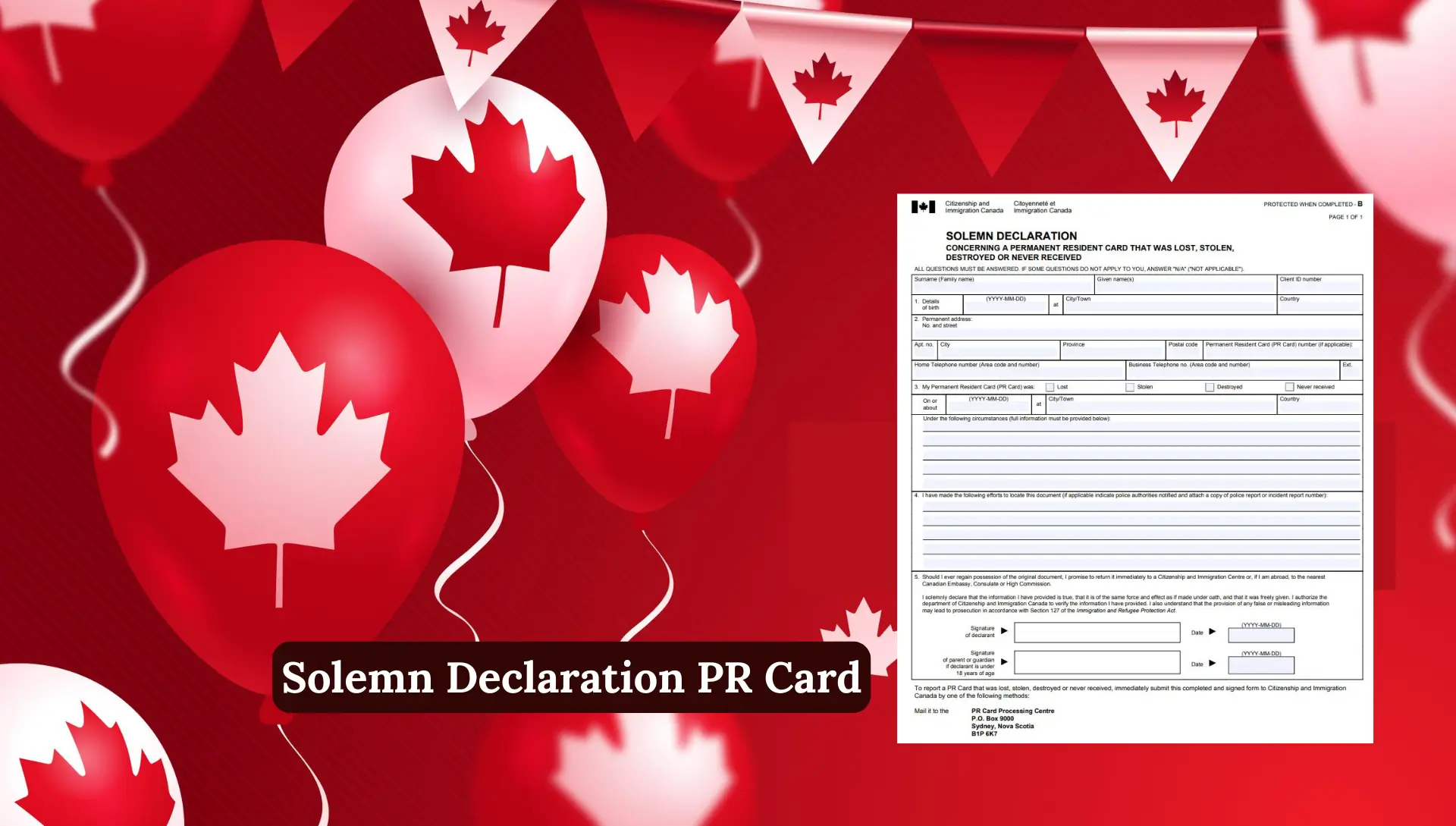
Section H — Solemn Declaration (Lost, Stolen, or Destroyed Card Only)
If your PR card has been:
- Lost
- Stolen
- Destroyed
- Never received
You must complete this section fully with details like:
- What happened
- When you lost it
- Where it was lost
- Police report (if applicable)
This helps IRCC prevent fraud.
How to Apply for PR Card Renewal Online
Here is the complete online process below the button:
PR Card Renewal Application Form Printable
Many applicants prefer a printable version for review.
You can download the:
- PR Card Renewal Application Form IMM 5444 (Printable)
- Document Checklist IMM 5644 (Printable)
But remember: You must still submit the application online unless IRCC specifically allows paper submission.
Lost PR Card Application Form
If your PR card is lost, stolen, or destroyed, you must complete extra steps.
Report the loss (if stolen)
You may need a police report or incident number.
Complete the Solemn Declaration
This section of IMM 5444 asks:
- When the card was lost
- How it happened
- What steps you took to find it
- Whether police were notified
Promise to destroy the old card if found
This is legally required because IRCC must prevent duplicate cards.
PR Card Renewal Application Form Checklist (IMM 5644)
This checklist helps you gather all documents before submitting your application. You must upload everything digitally.
What IMM 5644 (Checklist) Includes:
- PR card photos
- Copy of your current or expired PR card
- Identity documents
- Proof of residency (if required)
- Passport pages (travel history)
- Police reports (if lost or stolen)
- Supporting documents for name changes
This form ensures your application is complete. Missing documents can delay processing for months.
Why IMM 5444 is the Most ImportantForm?
Your PR card renewal or replacement requires Form IMM 5444. You cannot renew your PR card without completing this form correctly. It collects your identity details, address history, work history, travel history, residency obligation proof, and immigration background.
The form is now digital, so you can complete it directly inside your online PR Portal account.
Why Applications Get Delayed
Many applicants face long delays due to:
- Missing documents
- Weak residency proof
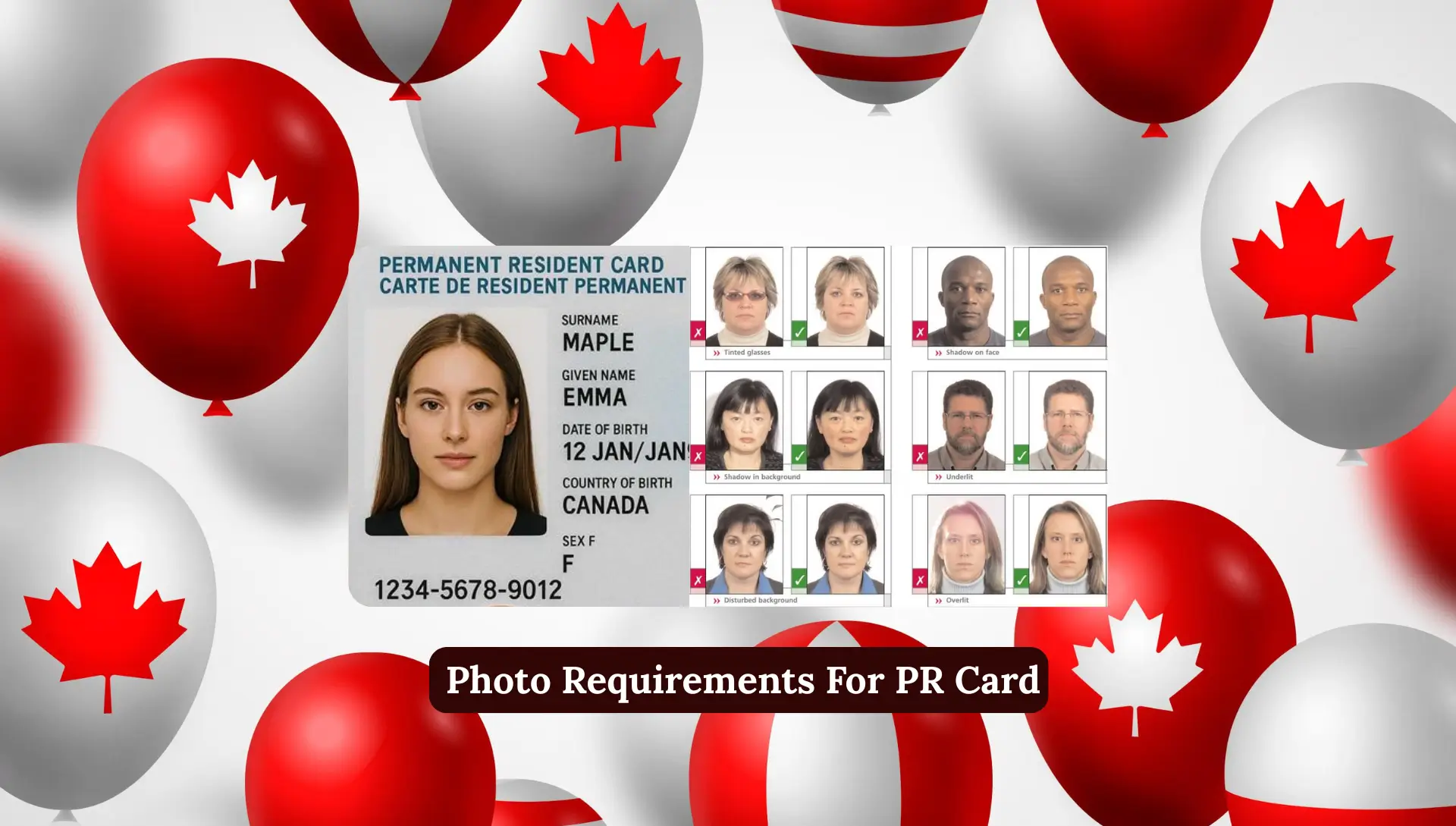
- Incorrect photos
- Incomplete travel history
- Wrong information in IMM 5444
- Not signing the application online
You can avoid this by reviewing everything before submitting.

Processing Time for PR Card Renewal
IRCC processing times change often but generally take:
- 45 to 120 days for standard renewal
- Longer for complex cases
Delays often happen due to:
- Missing documents
- Incomplete travel history
- Not meeting residency obligation
- Incorrect photos
Tips to Speed Up Your PR Card Renewal
Here are some helpful tips:
- Upload clear digital photos
- Fill every section correctly
- Provide full address and work history
- Give complete travel details
- Attach CRA tax documents
- Upload your passport pages
- Give consent to IRCC to access CBSA records
- Check your email regularly
FAQs
Can I travel while my PR card renewal is in process?
Yes, but you cannot re-enter Canada without a valid PR card or PRTD (Permanent Resident Travel Document).
Can I renew my PR card outside Canada?
No, you must be inside Canada to renew your PR card.
What if I lost my PR card?
You must complete Section H in IMM 5444 and explain how it was lost.
How long does PR card renewal take?
Most applications take 1–4 months.
Do I need a new photo for PR card renewal?
Yes, IRCC has strict photo rules.
Is PR card renewal free?
No, there is a renewal fee payable online.
Do I need to meet the residency obligation?
Yes, you must live in Canada 730 days in the last 5 years.
Can I download the PR card renewal application form PDF?
Yes, but you still must submit the form online through the PR portal.
Conclusion
Renewing or replacing a PR card can feel overwhelming, but it becomes much easier when you understand the forms, the online portal, and the documents you need. By completing IMM 5444 correctly, following the checklist, and uploading clear residency proof, you can avoid delays and keep your PR status active. Whether your card is expired, lost, or damaged, applying early always helps. With accurate information and a complete application, getting your new PR card becomes easy.